Heerio Hub
Heerio Hub, for you and your team.
Heerio Hub is where you set up and manage Heerio for your business. Practice owners manage their account and practice setup, while providers receive arrival notifications and respond to clients.
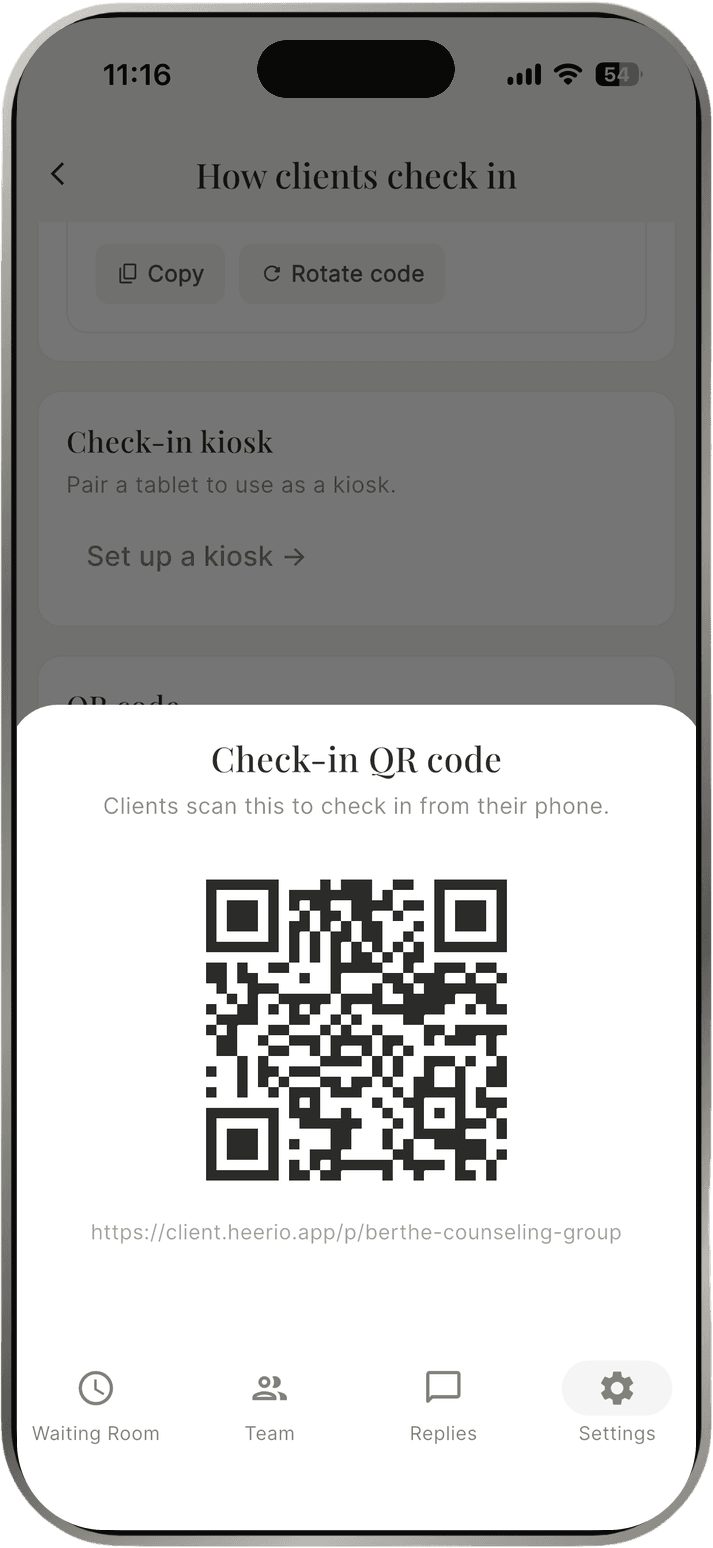
Settings: choose how clients check in
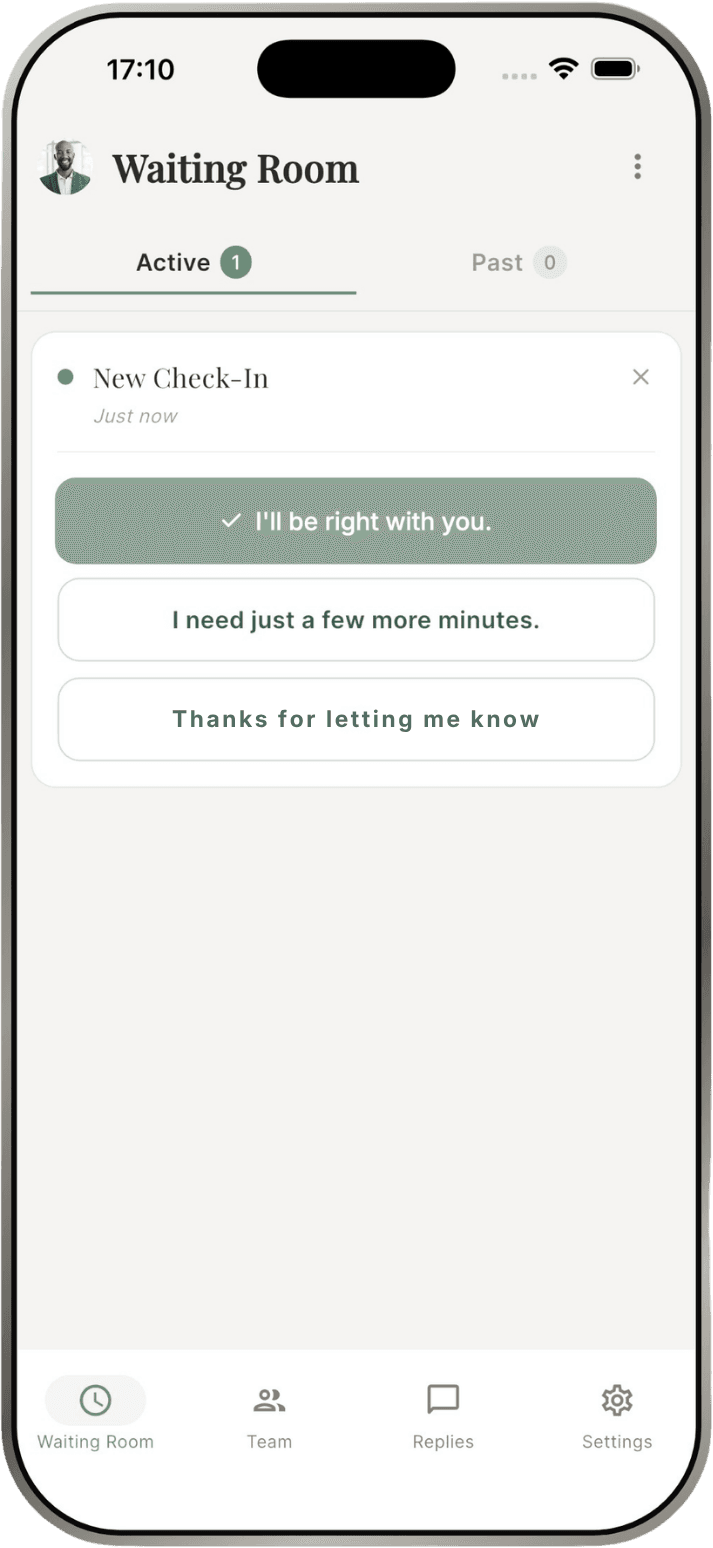
Waiting room: arrivals and one-tap replies
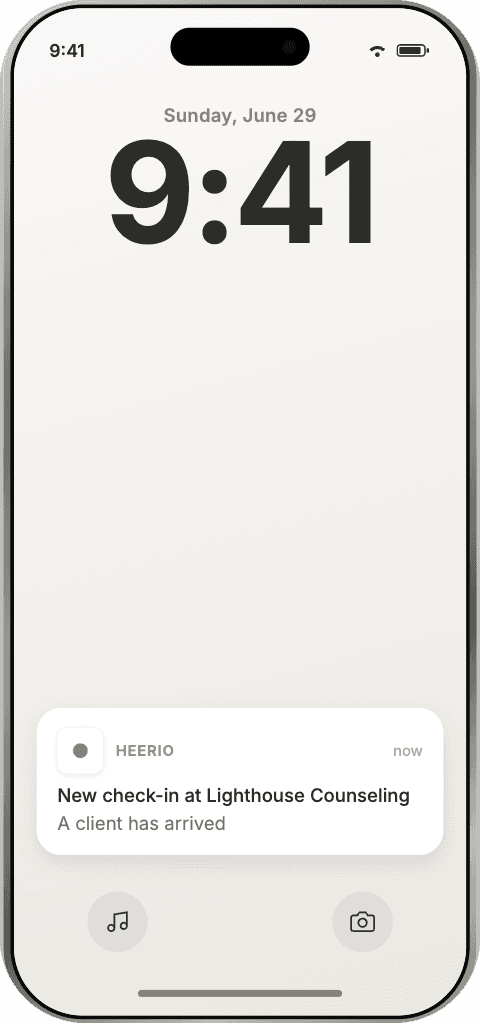
Arrival notification on your phone
From practice setup to the next arrival.
Add your practice and providers, then choose how clients will check in. When a client selects their provider and checks in, Heerio sends the arrival notification. The provider can acknowledge it with a quick reply.
Practice owners
- Create the Heerio account for your practice and set your practice name and profession.
- Invite providers to your practice by email.
- Choose how clients check in: share your practice’s QR code, pair a tablet as a kiosk, or both.
- Manage your subscription.
Providers
- Receive an arrival notification on your phone when a client checks in with you.
- Reply with one tap, and customize your own quick-reply options.
- Clear the check-in once you’ve brought your client back.
On your phone and on the web.
The Heerio Hub mobile app for iPhone and Android is where providers receive arrival notifications, monitor check-ins, and send quick replies. The Heerio Hub desktop dashboard is the web interface for managing your Heerio account, practice setup, and providers.


Create your practice first, then sign in to the app with the same account.
Common questions.
What is Heerio Hub?
Heerio Hub is the owner and provider side of Heerio. It's where you set up your practice, manage your account, receive arrival notifications, and send quick replies.
How do notifications work?
Heerio Hub sends arrival notifications to your phone. You can also view check-ins in the desktop dashboard.
Are providers charged separately?
No. Each location includes unlimited providers.
Set up your practice in Hub.
Create your account, add your providers, and choose how clients will check in.
Start your 30-day free trialNo credit card required.